Table of Contents
ToggleIf you’re juggling contractor appointments, HVAC maintenance schedules, and renovation timelines, you already know that a wall calendar or a sticky note doesn’t cut it anymore. A smart calendar for your home syncs across all your devices, sends reminders before you forget, and integrates with your smart home system to automate everything from lighting schedules to doorbell notifications. Whether you’re managing a full-scale kitchen remodel or just keeping track of seasonal home maintenance, a smart calendar keeps your household running like a well-oiled machine. In this guide, we’ll walk through what these systems do, which features actually matter, and how to set one up in your space.
Key Takeaways
- A smart calendar for your home syncs across all devices and automates reminders, preventing scheduling chaos and ensuring your entire household stays coordinated on maintenance visits, contractor appointments, and family events.
- Voice control via Alexa, Google Assistant, or Siri enables hands-free scheduling—letting you add events and set reminders even when you’re busy with projects or household tasks.
- Integration with smart home systems unlocks automation potential, such as automatically unlocking doors or turning on lights when contractor appointments arrive.
- Set up a single shared family calendar separate from work calendars, install a smart display in your kitchen as a central scheduling hub, and enable notifications strategically to avoid alert overload.
- Use smart calendars to track warranty expiration dates, seasonal maintenance tasks like HVAC filter changes, and DIY project timelines to prevent costly oversights.
What Is A Smart Calendar And Why Your Home Needs One
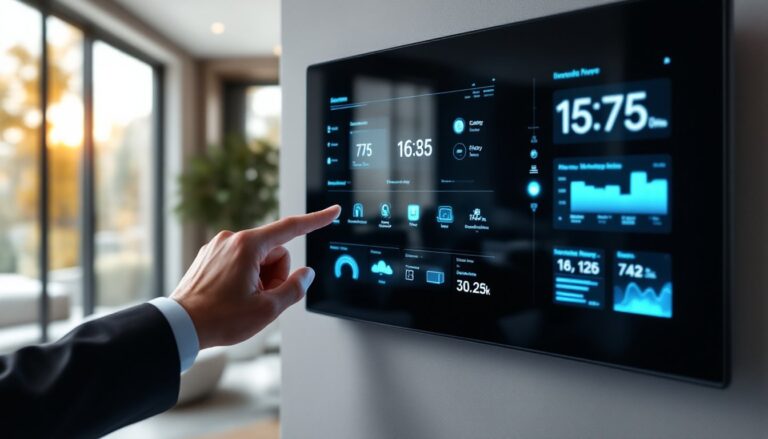
A smart calendar is a digital scheduling tool that lives on your phone, tablet, or a dedicated smart display, and it talks to your other devices. Unlike a paper calendar pinned to the kitchen wall, a smart calendar sends push notifications, syncs across family members’ phones, and can trigger automations (like turning on the porch light 15 minutes before your plumber arrives).
For homeowners, this is game-changing. You’ve got delivery windows, maintenance visits, contractor schedules, and family events all competing for your attention. A paper calendar doesn’t remind you to prep the basement for the furnace inspection. A smart calendar does. It also prevents the chaos of conflicting appointments, everyone in the household sees the same schedule in real time.
DIY enthusiasts benefit especially. You can set reminders for project deadlines, track when you bought materials (so you remember warranty periods), and coordinate with contractors or inspection times. If you’re managing multiple projects, replacing drywall in one room while planning electrical work in another, a shared smart calendar keeps everyone on the same page without endless group texts.
Key Features To Look For In A Home Smart Calendar
Not all smart calendars are created equal. Before you pick one, think about what matters most: family coordination, smart home integration, or cross-device reliability.
Voice Control And Hands-Free Operation
Voice control is the difference between a useful tool and one that gathers dust. When you’re elbow-deep in paint or holding a two-by-four, you can’t pull out your phone to add an appointment. Saying “Hey Google, add the roofer appointment on Tuesday at 10 AM” takes three seconds. With voice control via Amazon Alexa, Google Assistant, or Apple Siri, you can add events, check schedules, and set reminders hands-free. This matters especially in kitchens and mudrooms where your phone might not be within arm’s reach.
Look for natural language processing, meaning the device understands “Tuesday next week” or “in two hours” rather than requiring formatted dates. This makes scheduling faster and more natural. Some smart displays also let you set recurring reminders (“Every Saturday at 9 AM, remind me to check the gutters”), which automates the mental load of routine maintenance.
Integration With Smart Home Systems
A smart calendar that stands alone is helpful. A smart calendar that talks to your smart home system is powerful. If your calendar shows “Plumber arrives 2 PM,” your system could automatically unlock the front door, turn on the basement lights, and send a notification to your phone when they arrive.
Google Calendar integrates seamlessly with Google Home devices and Nest products. Amazon Alexa works with calendars synced through Alexa routines, triggering actions across your Echo ecosystem. Apple HomeKit ties into Apple Calendar and Siri. The key is choosing a system where your calendar, voice assistant, and smart home devices all belong to the same ecosystem, or at least communicate through a hub like Home Bridge or SmartThings.
Integration also means your calendar can control lighting scenes, thermostat settings, or security routines. Imagine automatically setting your home to “Away Mode” when your calendar shows everyone leaving for work, or triggering a guest mode that unlocks doors 30 minutes before visitors arrive.
Real-World Applications For Homeowners And DIY Enthusiasts
Here’s where smart calendars earn their keep. A contractor management timeline is the classic use case, you schedule the roofer, electrician, and plumber, and the calendar tracks progress across weeks. Set a reminder two days before each appointment so you can prep the work area (clearing the attic for the roofer, ensuring basement access for the plumber).
Seasonal maintenance is another big one. Set annual reminders for HVAC filter changes (typically every 90 days for standard filters, though high-efficiency filters may last longer), gutter cleaning in spring and fall, and pressure-washing before winter. A shared family calendar means your spouse or kids can see these tasks without you having to nag. Some people tie these to automations, when the calendar event hits, a smart display reminds everyone, and a notification pops up on their phones.
Budget-conscious DIYers use smart calendars to track when they bought materials and when warranties expire. Add a note to the calendar event: “Replaced deck boards, 10-year warranty, expiration 2036.” Later, if a board splits, you can quickly check if you’re still covered. This takes seconds to set up and saves headaches down the line.
Family coordination is underrated. Instead of texting “When are you home?” you check the shared calendar. It shows appointments, pick-ups, project timelines, and social plans all in one place. No more double-booked Saturday slots or forgotten maintenance windows.
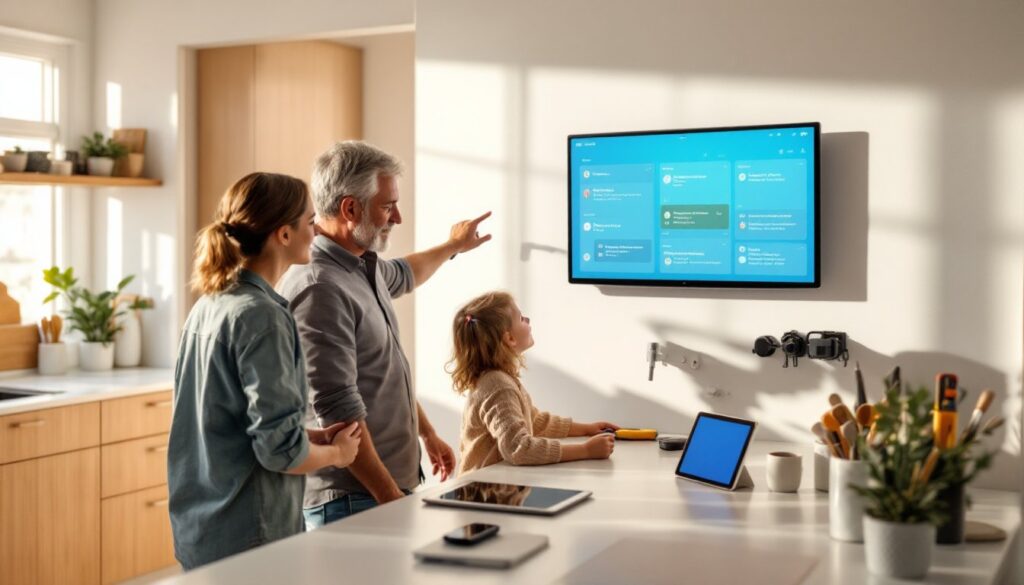
You can also use smart displays, devices like the Amazon Echo Show or Google Nest Hub, mounted in your kitchen or home office as a calendar hub. Everyone glances at it when they walk in, so shared events stay top-of-mind. According to reviews of the best smart displays for 2025, devices like the Echo Show 15 and Nest Hub Max are particularly good for household organization.
Installation And Setup Tips For Your Home
Setup is straightforward, but a few steps make the difference between a barely-used feature and one that actually saves you time.
Start with one calendar. Don’t fragment your life across three apps. Pick Google Calendar, Apple Calendar, or Outlook, and commit. This becomes your single source of truth for home events. If you’re deep in the Google ecosystem (Pixel phone, Chromecast, smart speakers), Google Calendar syncs automatically. Apple users should lean on Apple Calendar and iCloud. Windows users typically stick with Outlook.
Set up sharing carefully. Create a family calendar (separate from your work calendar) and invite household members with “Can edit” or “Can view” permissions depending on your preference. Clear boundaries prevent chaos, family events live in the shared calendar, personal appointments stay private.
Install a smart display in a central location. The kitchen is ideal because that’s where people congregate. A 7-inch to 10-inch smart display works well for most countertops: larger displays (13-15 inches) work in home offices. Make sure it’s plugged in permanently and on the same Wi-Fi network as your phone and other devices. No special installation needed, just set it up through the manufacturer’s app.
Enable notifications strategically. Don’t overload yourself with alerts. Turn on notifications for contractor visits, appointments that require prep, and time-sensitive tasks. Turn off notifications for casual events. Most devices let you set quiet hours (e.g., no alerts between 8 PM and 8 AM) to avoid nighttime noise.
Link voice commands to automations if your system supports it. Through Google Home app or Alexa app, you can create routines: “When I say ‘ready for the plumber,’ unlock the front door and turn on the basement lights.” Test these routines before relying on them, voice commands occasionally misfire, and you don’t want your door unlocking accidentally.
Sync across all devices. Whether you’re on your phone, tablet, or smart speaker, the calendar should update instantly. Check that sync is working by adding an event on your phone, then checking your smart display within seconds. If there’s lag, restart your Wi-Fi router or refresh the app.
Conclusion
A smart calendar transforms how you manage home maintenance, projects, and family schedules. The hardware is affordable, most smart displays cost $80–$250, and the time savings compound quickly. Pick a system aligned with the devices you already own, set up a shared family calendar, place a display in your kitchen, and let automation handle reminders. Whether you’re tracking a renovation timeline or just preventing forgotten dentist appointments, a smart calendar pays for itself in peace of mind.