Table of Contents
ToggleSmart home devices for beginners can feel overwhelming at first glance. Dozens of gadgets promise to automate everything from lights to thermostats to door locks. But here’s the truth: getting started is simpler than most people think.
A smart home connects everyday devices to the internet. These devices respond to voice commands, smartphone apps, or automated schedules. The result? Greater convenience, better energy efficiency, and a home that actually works for its occupants.
This guide breaks down exactly what beginners need to know. It covers how smart home technology works, which devices to buy first, and how to avoid common setup mistakes. By the end, anyone can confidently build their first smart home ecosystem.
Key Takeaways
- Smart home devices for beginners connect to Wi-Fi and respond to voice commands, apps, or automated schedules for greater convenience and energy efficiency.
- Start with a smart speaker (Amazon Echo, Google Nest, or Apple HomePod) as your central hub before adding other devices.
- Smart bulbs and smart plugs offer the easiest and most affordable entry points, with options starting under $15.
- Choose one ecosystem (Alexa, Google Home, or Apple HomeKit) and verify device compatibility before every purchase.
- Avoid common beginner mistakes like overcomplicating automations, ignoring Wi-Fi limitations, and buying too many devices at once.
- Begin with 3–4 devices, master the basics, and expand your smart home gradually based on your actual needs.
What Are Smart Home Devices and How Do They Work
Smart home devices are electronic gadgets that connect to a home network. They communicate with each other and with users through Wi-Fi, Bluetooth, Zigbee, or Z-Wave protocols. This connectivity allows remote control and automation.
The basic setup works like this: a smart device connects to a home’s Wi-Fi router. Users then download a companion app to their smartphone. Through that app, they can control the device from anywhere with an internet connection.
Voice assistants add another layer of control. Amazon Alexa, Google Assistant, and Apple Siri can receive spoken commands and relay them to compatible smart home devices. Someone can say “turn off the living room lights” without touching their phone.
Automation takes things further. Users can create routines that trigger multiple actions at once. A “good morning” routine might turn on lights, start the coffee maker, and read the day’s weather forecast, all from a single voice command.
Smart home devices for beginners typically fall into a few categories: lighting, climate control, security, and entertainment. Each category offers entry-level products that work well for first-time buyers. The key is choosing devices that work together within the same ecosystem.
Essential Smart Home Devices to Start With
Starting a smart home doesn’t require buying everything at once. A few strategic purchases create a solid foundation. Here are the best smart home devices for beginners to consider first.
Smart Speakers and Voice Assistants
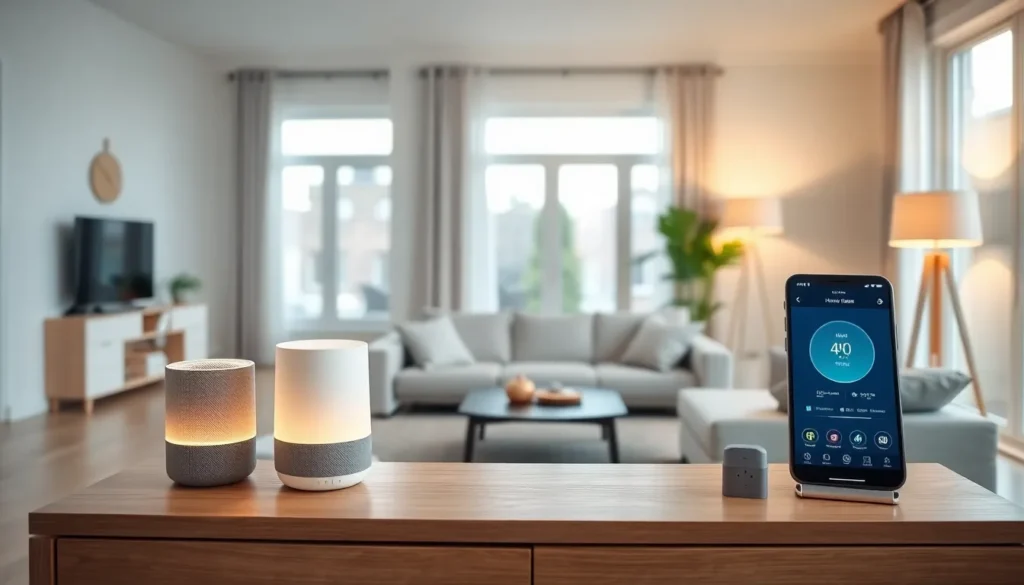
A smart speaker serves as the central hub for most smart homes. It provides voice control for all connected devices and acts as the command center.
The Amazon Echo lineup remains the most popular choice. Echo devices use Alexa and support thousands of compatible products. The standard Echo Dot costs around $50 and delivers solid sound quality for its size.
Google Nest speakers offer similar functionality with Google Assistant. They integrate well with Android phones and Google services. Apple HomePod works best for households already invested in the Apple ecosystem.
For beginners, the choice often comes down to which phone they use. Android users typically prefer Google. iPhone users might lean toward Apple or Amazon. Any option works, consistency matters more than brand.
Smart Lighting and Plugs
Smart lighting delivers the most immediate “wow factor” for new smart home users. It’s visible, practical, and relatively affordable.
Smart bulbs replace standard light bulbs and connect directly to Wi-Fi. Philips Hue leads the market with reliable bulbs that offer millions of color options. Wyze and Sengled provide budget-friendly alternatives that still perform well.
Smart plugs offer another easy entry point. They plug into existing outlets and make any device “smart.” A lamp, fan, or coffee maker becomes controllable via app or voice. TP-Link Kasa and Amazon Smart Plugs cost under $15 each.
Smart light switches replace wall switches entirely. They control all bulbs in a fixture without needing smart bulbs. Lutron Caseta switches work reliably and don’t require a neutral wire, a common limitation in older homes.
Beginners should start with two or three smart bulbs or a couple of smart plugs. This small investment demonstrates how smart home devices work before committing to larger purchases.
Setting Up Your First Smart Home Ecosystem
Building a smart home ecosystem requires some planning. Random purchases can lead to compatibility headaches. A strategic approach saves time and money.
First, choose an ecosystem. Amazon Alexa, Google Home, and Apple HomeKit each have strengths. Alexa supports the widest range of devices. Google offers superior search integration. Apple provides the strongest privacy protections. Pick one and stick with it.
Next, check compatibility before buying any device. Product packaging displays logos for supported ecosystems. “Works with Alexa” or “Works with Google Home” badges indicate compatibility. Most smart home devices for beginners support multiple ecosystems, but not all do.
Wi-Fi network strength matters significantly. Smart devices need stable connections. A weak signal causes delays and disconnections. Mesh Wi-Fi systems like Google Nest WiFi or Amazon Eero help cover larger homes.
Start the physical setup with the smart speaker. Download the companion app (Alexa app, Google Home app, or Apple Home app). Follow the on-screen instructions to connect the speaker to Wi-Fi.
Add devices one at a time. Each new smart bulb or plug requires its own app initially. Then, link that device to the main ecosystem through the smart speaker’s app. This process takes a few minutes per device.
Create simple automations after everything connects. Start with basic routines: lights that dim at sunset, plugs that turn off at bedtime, or a morning routine that activates multiple devices. Gradually add complexity as comfort grows.
Common Mistakes to Avoid as a Beginner
New smart home users often make predictable mistakes. Avoiding these pitfalls saves frustration and wasted money.
Buying incompatible devices ranks as the most common error. That bargain smart bulb might not work with Alexa. Always verify ecosystem compatibility before purchasing. Returns waste time.
Overcomplicating automations frustrates beginners quickly. Complex routines with multiple conditions often fail. Start simple. A single trigger and a single action work reliably. Add layers only after mastering basics.
Ignoring Wi-Fi limitations causes endless headaches. Many smart home devices only work on 2.4GHz networks, not 5GHz. Some routers combine these bands automatically, which confuses certain devices. Check device requirements and router settings during setup.
Skipping firmware updates leaves devices vulnerable and buggy. Manufacturers release updates that fix problems and add features. Enable automatic updates when possible. Check for updates manually every few months.
Forgetting about privacy concerns catches some users off guard. Smart speakers listen for wake words constantly. Cameras record footage that may upload to cloud servers. Review privacy settings for each device. Disable features that feel uncomfortable.
Buying too much too fast overwhelms beginners. The excitement of smart home devices leads to impulse purchases. Start with three or four devices. Learn how they work together. Expand slowly based on actual needs, not hypothetical use cases.
Smart home devices for beginners work best with patience and planning. The technology improves every year. There’s no rush to automate everything immediately.