
Table of Contents
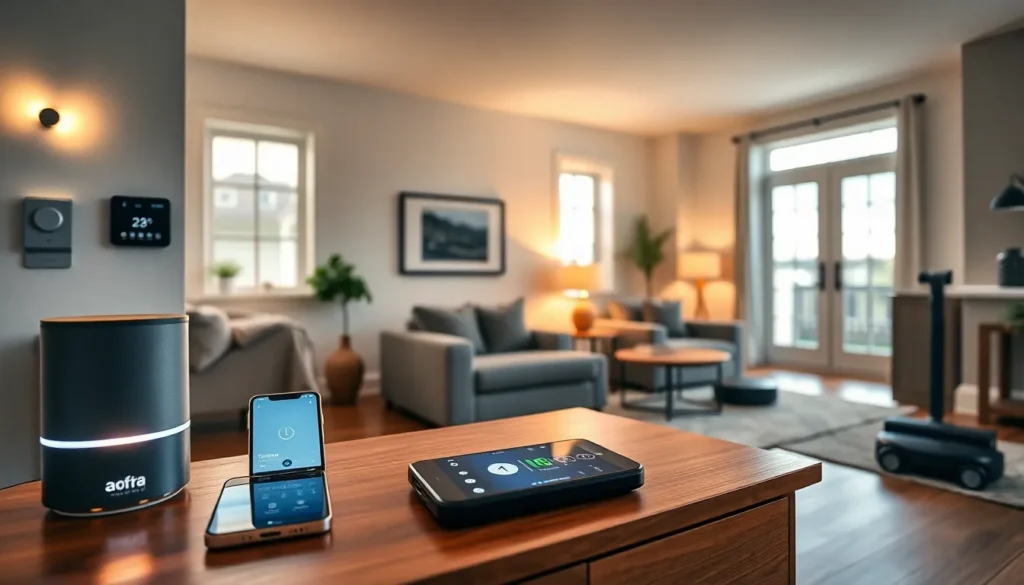
ToggleA smart home devices guide helps homeowners understand the technology that makes daily life easier. Smart home devices connect to the internet and allow users to control lights, locks, thermostats, and more from a phone or voice assistant. These devices save time, reduce energy costs, and add convenience to any household.
The market for smart home technology has grown rapidly. According to Statista, over 60 million U.S. households used smart home devices in 2023. This number continues to rise as prices drop and features improve. Whether someone is starting fresh or expanding an existing setup, this guide covers the essentials.
Key Takeaways
- Smart home devices connect to your home network and let you control lights, locks, thermostats, and security systems remotely via smartphone or voice assistant.
- Over 60 million U.S. households used smart home devices in 2023, with adoption growing as prices drop and features improve.
- Smart thermostats can save homeowners 10-15% on heating and cooling bills annually by learning household patterns.
- Before buying smart home devices, verify compatibility with your preferred ecosystem (Amazon Alexa, Google Home, or Apple HomeKit) or look for Matter-certified products.
- Start your smart home setup with a central hub like a smart speaker, then add devices gradually to avoid frustration and costly mistakes.
- Create automated routines to unlock the full potential of your smart home devices, combining multiple actions like locking doors and adjusting thermostats with a single command.
What Are Smart Home Devices?
Smart home devices are electronic gadgets that connect to a home network and can be controlled remotely. They use Wi-Fi, Bluetooth, Zigbee, or Z-Wave protocols to communicate with each other and with smartphones or voice assistants like Amazon Alexa, Google Assistant, or Apple Siri.
These devices fall into several categories. Some automate tasks, like turning off lights at bedtime. Others provide security features, such as motion-activated cameras. Many smart home devices learn user preferences over time and adjust settings automatically.
The core appeal of smart home devices lies in convenience. Homeowners can lock doors, adjust thermostats, or check security cameras without leaving the couch. They can also set schedules and routines that run without any manual input.
Smart home devices also offer energy savings. A smart thermostat, for example, learns when residents are home and adjusts heating or cooling accordingly. The U.S. Department of Energy estimates that smart thermostats can save homeowners 10-15% on heating and cooling bills annually.
Popular Types of Smart Home Devices
The smart home devices market includes dozens of product types. Here are the most popular categories homeowners consider first.
Smart Speakers and Displays
Smart speakers like Amazon Echo and Google Nest serve as the hub for many smart home setups. They respond to voice commands and control other connected devices. Smart displays add a screen for video calls, recipe viewing, and security camera feeds.
Smart Lighting
Smart bulbs and light switches let users control brightness, color, and schedules. Brands like Philips Hue, LIFX, and Wyze offer options at various price points. Users can set lights to turn on at sunset or flash when someone rings the doorbell.
Smart Thermostats
Devices from Nest, Ecobee, and Honeywell learn household patterns and optimize temperature settings. They reduce energy waste and provide remote control through smartphone apps.
Smart Security Devices
This category includes video doorbells (Ring, Nest), security cameras, smart locks, and motion sensors. These smart home devices provide real-time alerts and allow homeowners to monitor their property from anywhere.
Smart Plugs and Outlets
Smart plugs turn ordinary appliances into connected devices. Users can schedule coffee makers, fans, or holiday lights to turn on and off automatically. They offer an affordable entry point into smart home technology.
Smart Appliances
Refrigerators, washing machines, ovens, and vacuums now come with smart features. Robot vacuums like Roomba and Roborock clean floors on schedule. Smart refrigerators track groceries and suggest recipes.
How to Choose the Right Smart Home Devices
Selecting smart home devices requires some planning. Not every device works with every ecosystem, and compatibility matters more than most buyers realize.
Check Ecosystem Compatibility
Smart home devices work best within a unified ecosystem. Amazon Alexa, Google Home, and Apple HomeKit each have strengths and limitations. Before purchasing, buyers should decide which voice assistant they prefer and verify that devices support it.
The new Matter standard promises better cross-platform compatibility. Devices with Matter certification work across ecosystems without extra configuration. This makes buying decisions easier for new smart home users.
Consider Your Budget
Smart home devices range from $15 smart plugs to $500 smart locks. Buyers should start with affordable options to test the technology before investing heavily. A smart speaker and a few smart bulbs provide a solid foundation without very costly.
Prioritize Security Features
Connected devices create potential security vulnerabilities. Buyers should choose smart home devices from reputable brands that offer regular software updates. Two-factor authentication and encrypted connections add extra protection.
Read Reviews and Compare Features
Not all smart home devices perform equally. Some smart bulbs take seconds to respond while others react instantly. Some cameras offer free cloud storage while others require subscriptions. User reviews reveal these details that spec sheets often miss.
Think About Installation Requirements
Some smart home devices require professional installation. Smart thermostats may need specific wiring. Smart locks must fit existing door hardware. Buyers should check installation requirements before purchasing to avoid surprises.
Setting Up Your Smart Home Ecosystem
Building a smart home takes time, but the process doesn’t have to feel overwhelming. A step-by-step approach yields the best results.
Start with a Central Hub
A smart speaker or display serves as the command center for most setups. It connects to other smart home devices and responds to voice commands. Amazon Echo and Google Nest remain the most popular choices due to their wide device compatibility.
Add Devices Gradually
Rushing to buy every smart home device at once leads to frustration. Start with one or two devices. Learn how they work. Then expand the system over time. This approach helps users understand their preferences and avoid costly mistakes.
Create Routines and Automations
The real power of smart home devices emerges through routines. A “Good Morning” routine might turn on lights, start the coffee maker, and read the day’s weather forecast. A “Goodnight” routine could lock doors, turn off lights, and set the thermostat to sleep mode.
Most smart home apps make routine creation simple. Users select triggers (time, voice command, or sensor activation) and actions (device responses). These automations transform individual smart home devices into a coordinated system.
Secure Your Network
A strong home network supports smart home devices effectively. Users should update their router firmware regularly, use strong passwords, and consider creating a separate network for IoT devices. These steps protect personal data and prevent unauthorized access.
Troubleshoot Common Issues
Smart home devices occasionally lose connection or respond slowly. Restarting the device or router fixes most problems. Checking for firmware updates and ensuring devices stay within Wi-Fi range also helps maintain reliable performance.


